
Generate jewellery ideas that are easier to sell, refine, and build.
Zuve Studio works as an AI jewelry generator for fast concept exploration and as AI jewellery design software for professional workflows. Start with a sketch, generate realistic renders, and move faster from concept to approval.
Built for jewellery workflows, not generic AI art generation.
Useful for custom design previews before CAD or production handoff.
Helps teams shorten feedback cycles with clients and buyers.
Supports both one-off concepts and full collection development.
One page, two intents
Searchers looking for an AI jewelry generator want instant visual output. Searchers looking for AI jewellery design software want a professional workflow. This page is structured to answer both.
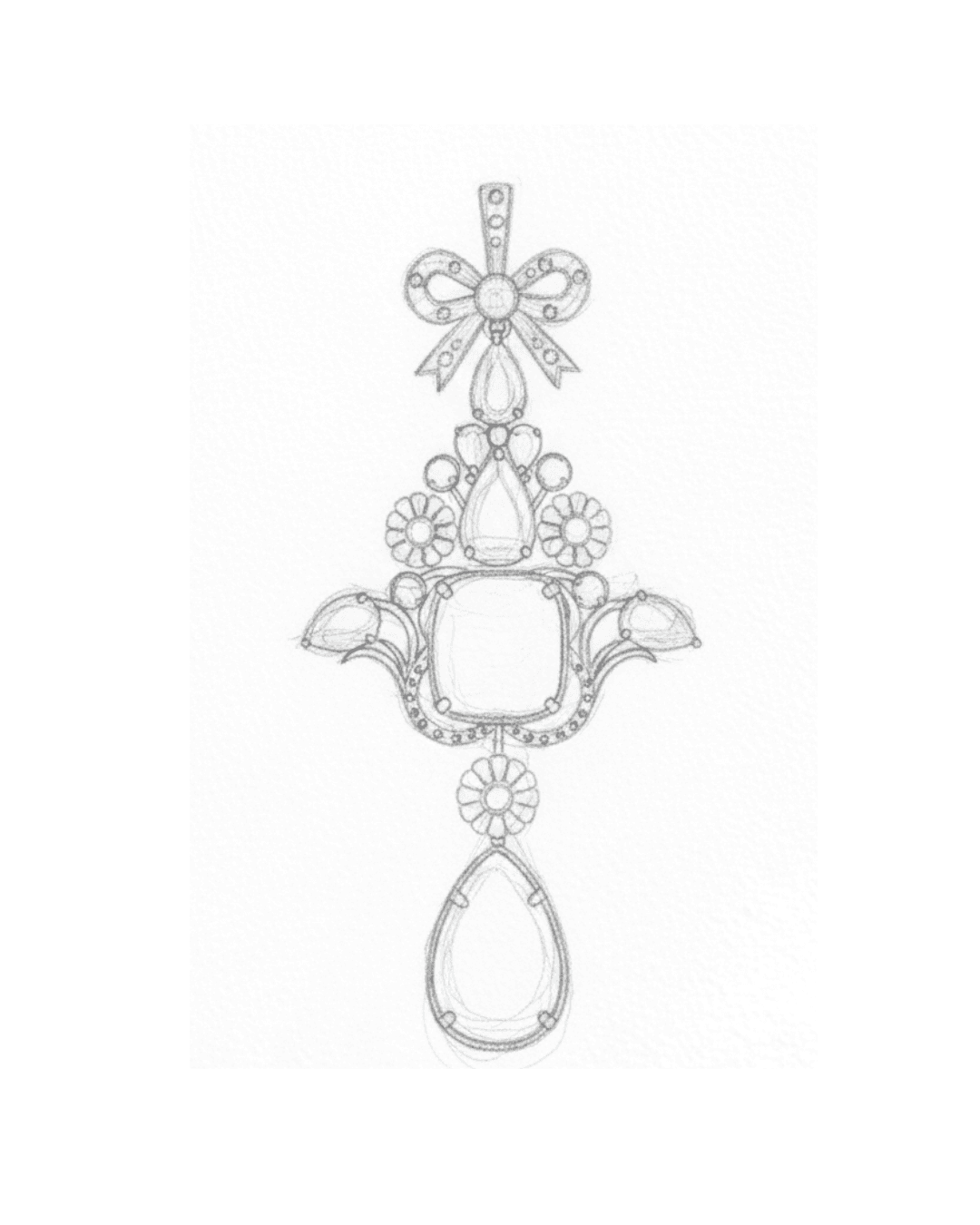
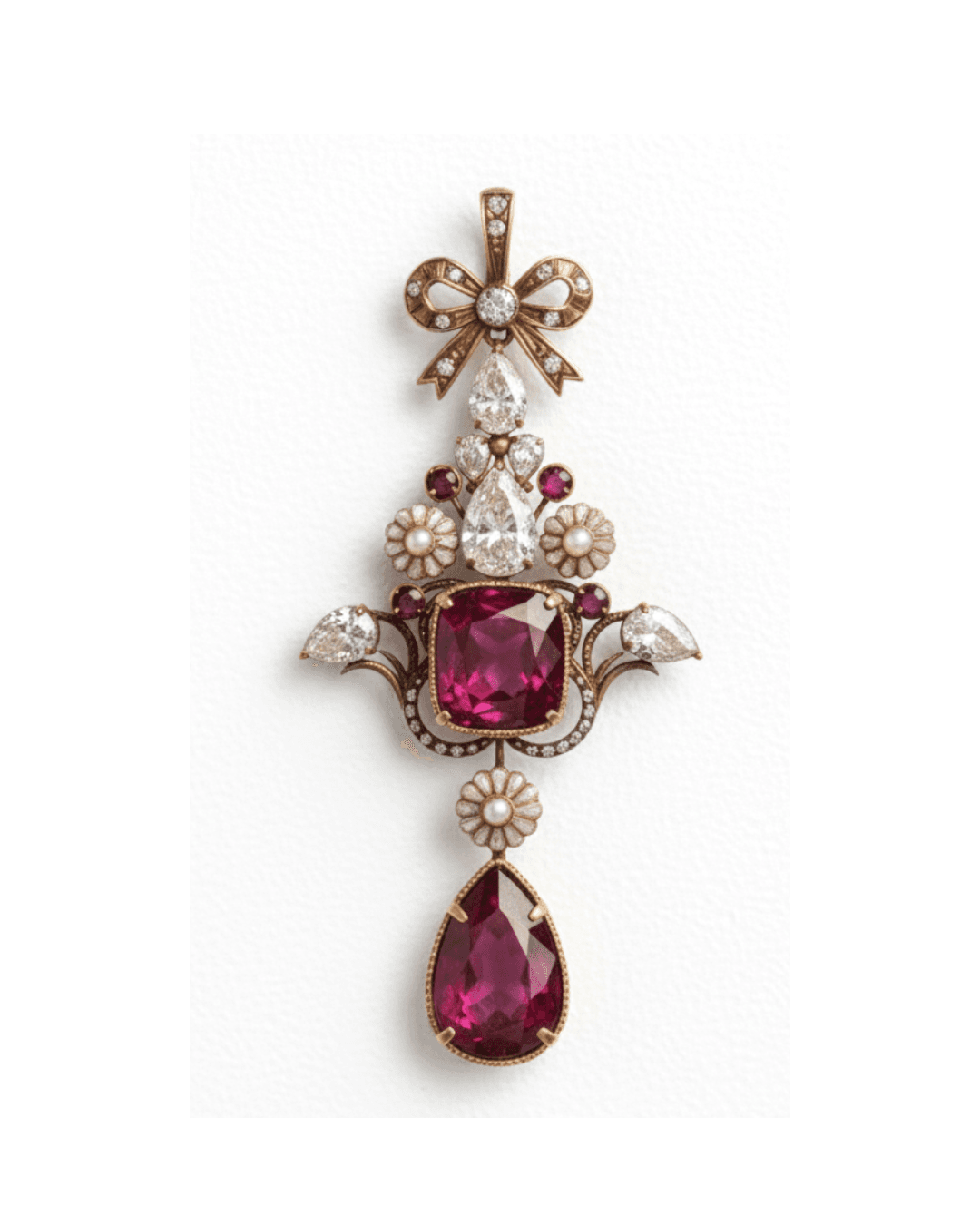
From sketch to jewellery render
Good SEO pages need proof. Instead of abstract claims, this page shows the core workflow visually.
How the workflow fits real design teams
Start from sketch, prompt, or reference
Use a hand sketch, an old design, or a rough idea to begin. The page targets both generator-style search intent and professional design-software intent.
Generate realistic jewellery renders
Zuve converts those inputs into polished visuals with metal, gemstone, and proportion cues that make sense for jewellery communication.
Refine, harmonize, and present
Build matching pieces, review variations quickly, and move from concept to approval without waiting on a slow sample loop.
Why teams use Zuve instead of generic generators
A useful distinction in coding and in SEO: a tool can share the same output surface but still solve a different job. Zuve is not just outputting images; it is helping designers move through a jewellery workflow.
Sketch to Render
Convert rough jewellery sketches into presentation-ready visuals in seconds.
Collection Harmonize
Generate matching earrings, pendants, and rings that keep the same design language.
Prompt-Led Exploration
Use jewellery-specific vocabulary to steer motifs, stones, finishes, and silhouettes.
Brand Signature Style
Keep outputs closer to your brand taste instead of starting from generic AI aesthetics every time.
Learn the workflow in more depth
Internal linking matters because it helps search engines understand topic clusters. These supporting articles reinforce that Zuve is about jewellery-specific design speed, workflow, and manufacturable outcomes.
From Napkin Sketch to HD Render: The 20-Second Jewelry Design Revolution
A stronger workflow-focused article for sketch-to-render intent.
Read articlePrompt Engineering for Jewelers: A Masterclass in Digital Craftsmanship
Useful for long-tail prompt and exploration queries.
Read articleThe ROI of AI: How Zuve Studio Reduces Jewelry Sampling Costs by 90%
Supports bottom-funnel traffic around cost, sampling, and approvals.
Read article
Generator on the front, workflow underneath
That is the core positioning logic of this page. The headline catches broad search demand, and the rest of the page explains why a jewellery team needs software, not just image output.
FAQ
What makes Zuve Studio different from a generic AI image generator?
Most generic generators are good at producing interesting pictures. Zuve is positioned as jewellery design software, so the workflow focuses on sketches, collections, approvals, and production-facing communication.
Can I use this AI jewelry generator for client approvals?
Yes. That is one of the strongest use cases. Instead of waiting for physical samples, teams can show realistic design directions and variations much earlier.
Is this page targeting both jewelry and jewellery searches?
Yes. The route uses the more common global spelling “jewelry,” while the copy and metadata also target “jewellery design software” to capture both search variants.